
Managing Computers
By default, all the machines that join a domain (except for the DCs) will be put in the container called "Computers". If we check our DC, we will see that some devices are already there:
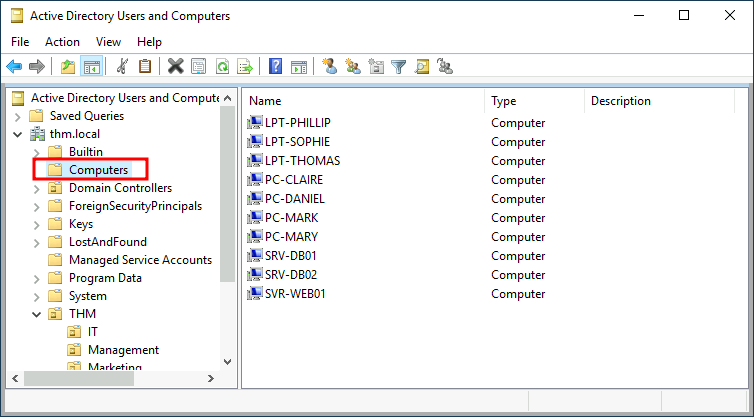
We can see some servers, some laptops and some PCs corresponding to the users in our network. Having all of our devices there is not the best idea since it's very likely that you want different policies for your servers and the machines that regular users use on a daily basis.
While there is no golden rule on how to organise your machines, an excellent starting point is segregating devices according to their use. In general, you'd expect to see devices divided into at least the three following categories:
1. Workstations
Workstations are one of the most common devices within an Active Directory domain. Each user in the domain will likely be logging into a workstation. This is the device they will use to do their work or normal browsing activities. These devices should never have a privileged user signed into them.
2. Servers
Servers are the second most common device within an Active Directory domain. Servers are generally used to provide services to users or other servers.
3. Domain Controllers
Domain Controllers are the third most common device within an Active Directory domain. Domain Controllers allow you to manage the Active Directory Domain. These devices are often deemed the most sensitive devices within the network as they contain hashed passwords for all user accounts within the environment.
Since we are tidying up our AD, let's create two separate OUs for Workstations and Servers (Domain Controllers are already in an OU created by Windows). We will be creating them directly under the thm.local domain container. In the end, you should have the following OU structure:
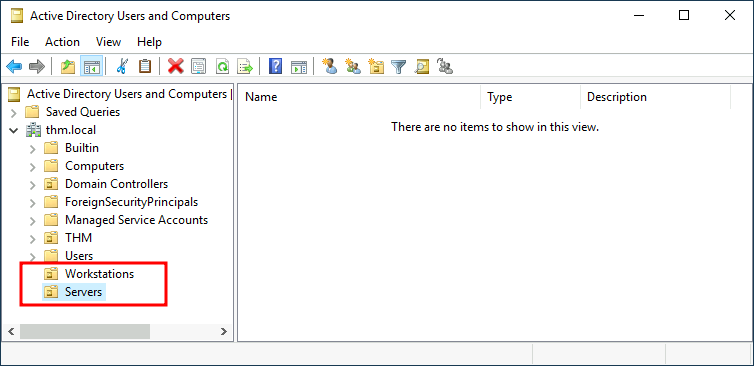
Now, move the personal computers and laptops to the Workstations OU and the servers to the Servers OU from the Computers container. Doing so will allow us to configure policies for each OU later.
No comments to display
No comments to display